Native, not wrapped
Swift 6, AppKit and WebKit. The whole app is under 3 MB, and the chrome is real Mac controls, not a web page pretending to be one.
 Aether

A native Mac browser that gives your attention
some space of its own.
Swift · AppKit · WebKit · Apple Silicon, macOS 14 or later
Spaces for your contexts, a sidebar that tucks away, and a start page built from where you actually go. These are real screenshots of the real app.
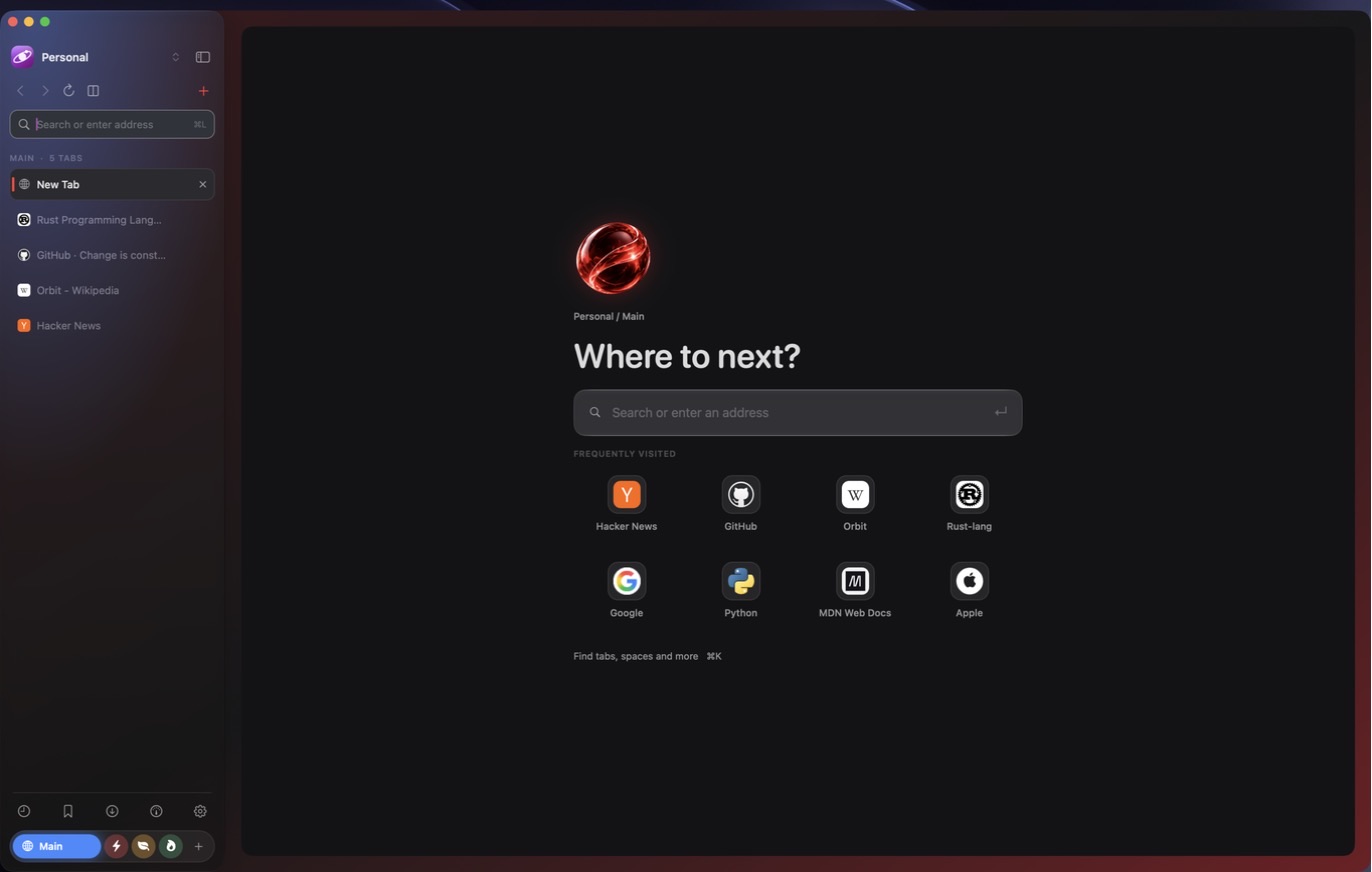
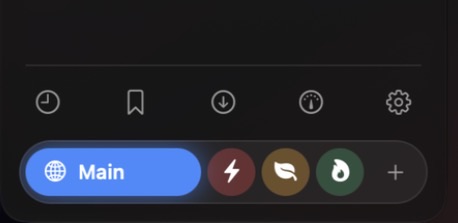
Spaces hold related tabs and each gets its own glyph and colour, which washes softly across the sidebar. The active space is a glowing pill; the rest are quiet orbs, with a single + to add more. Switching never reloads a page.
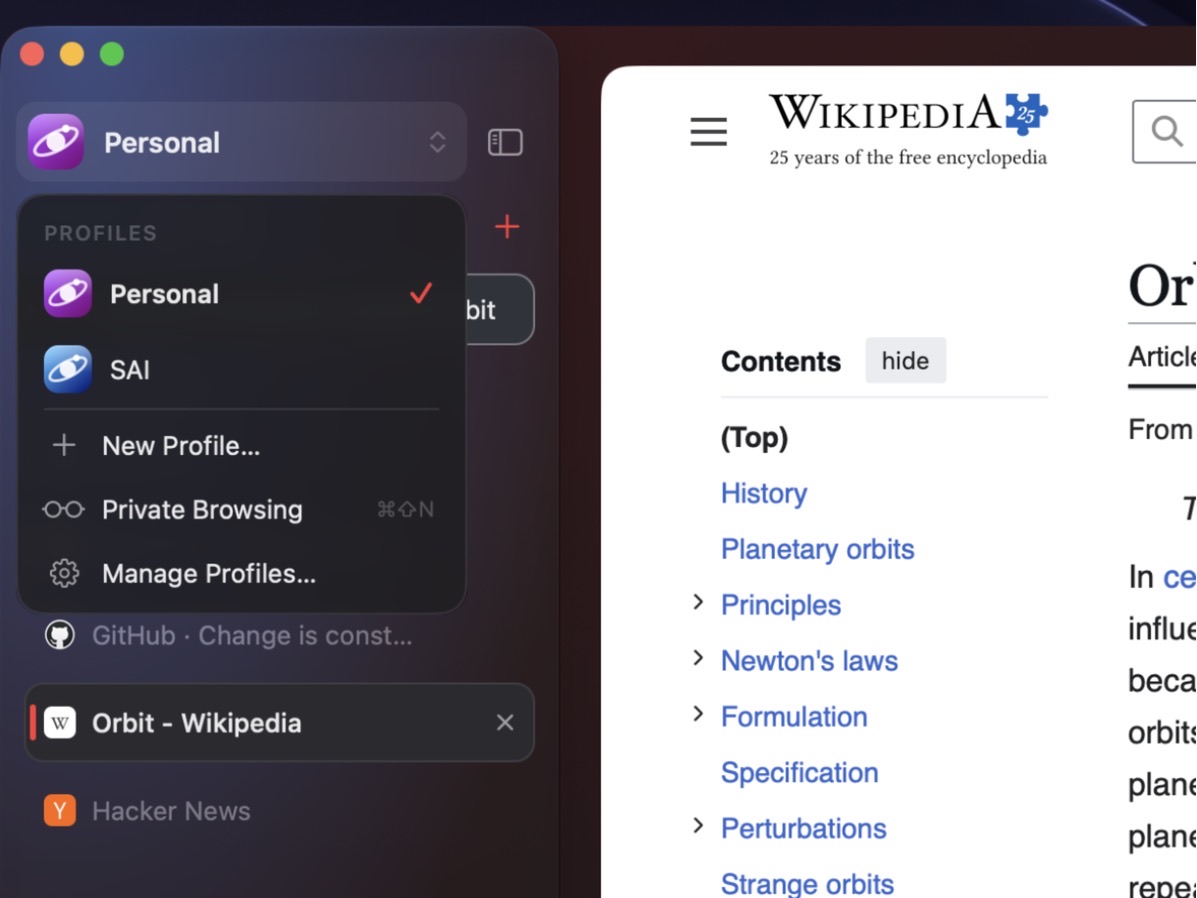
Profiles are real security boundaries: every profile has its own WebKit data store, so cookies, caches and local storage never cross over. Each one gets a generated orbit avatar.
Swipe two fingers sideways over the sidebar to move between spaces.
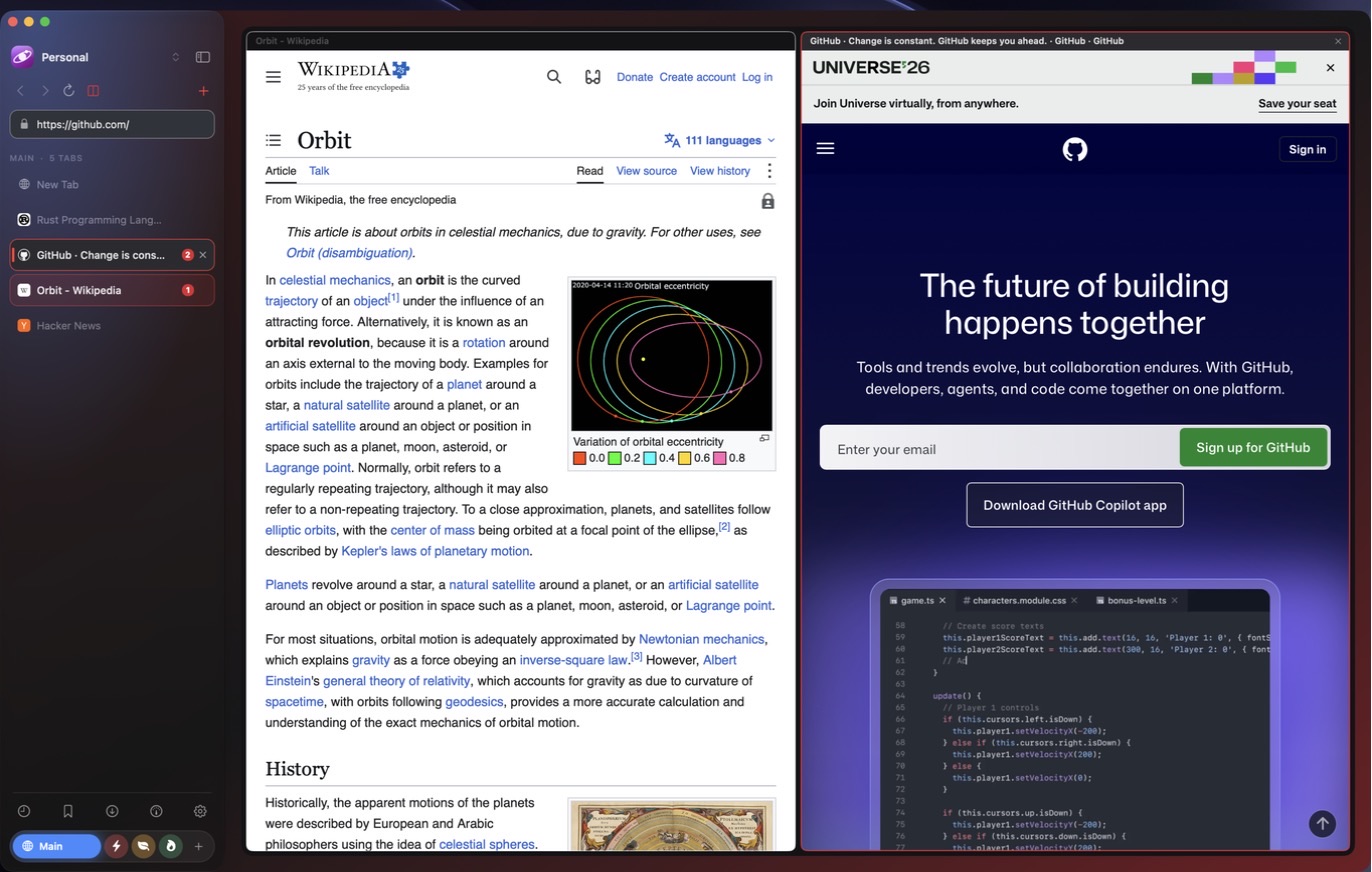
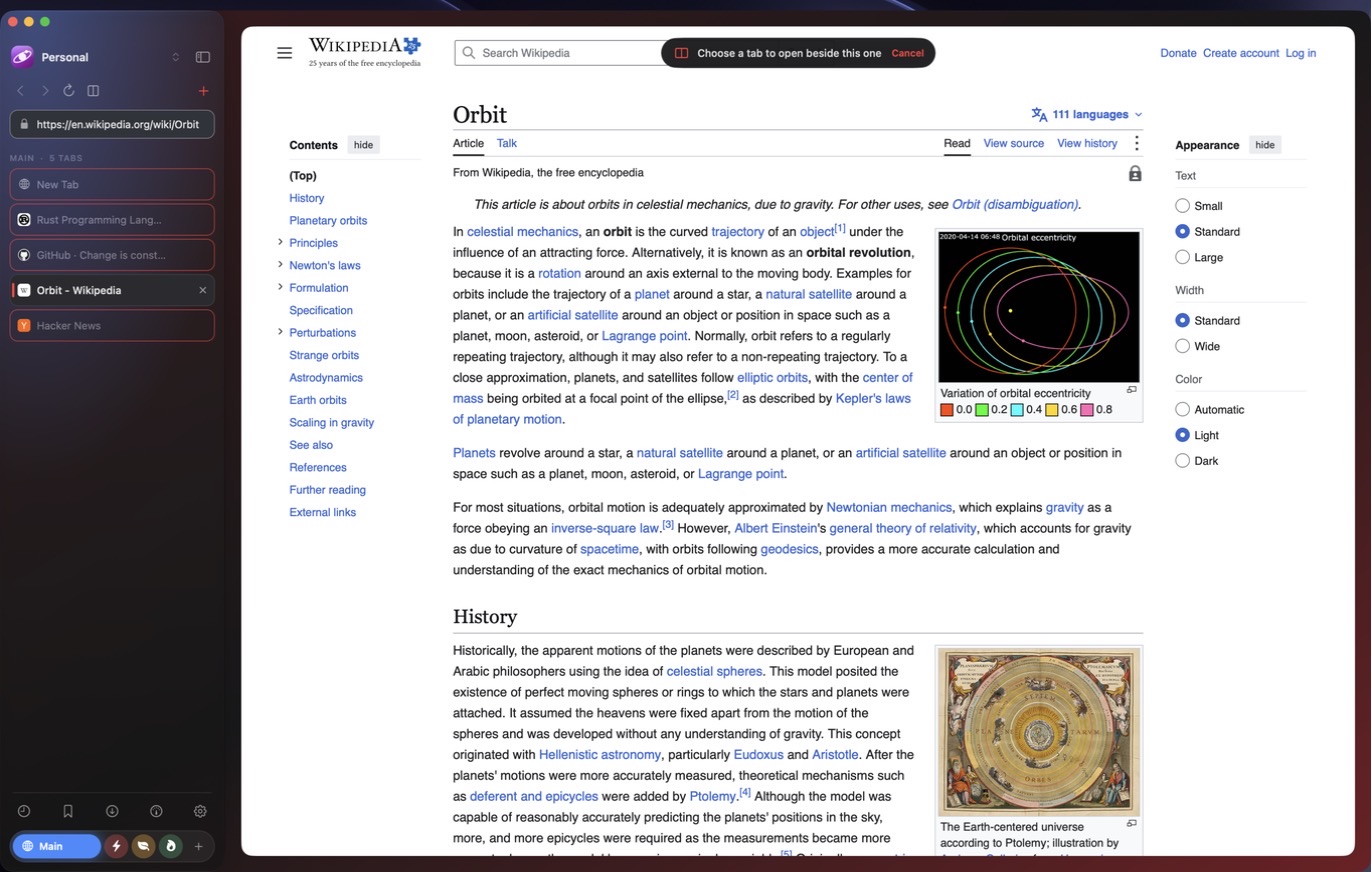
Choose exactly which tab to open beside the current one. Press the split button and click any tab, right-click a tab for Split Left or Split Right, or drag a tab onto the left or right half of the page.
Up to four panes, with rounded corners that line up with the window, a thin accent ring on the active pane, and numbered chips in the sidebar so you always know which tab is where.
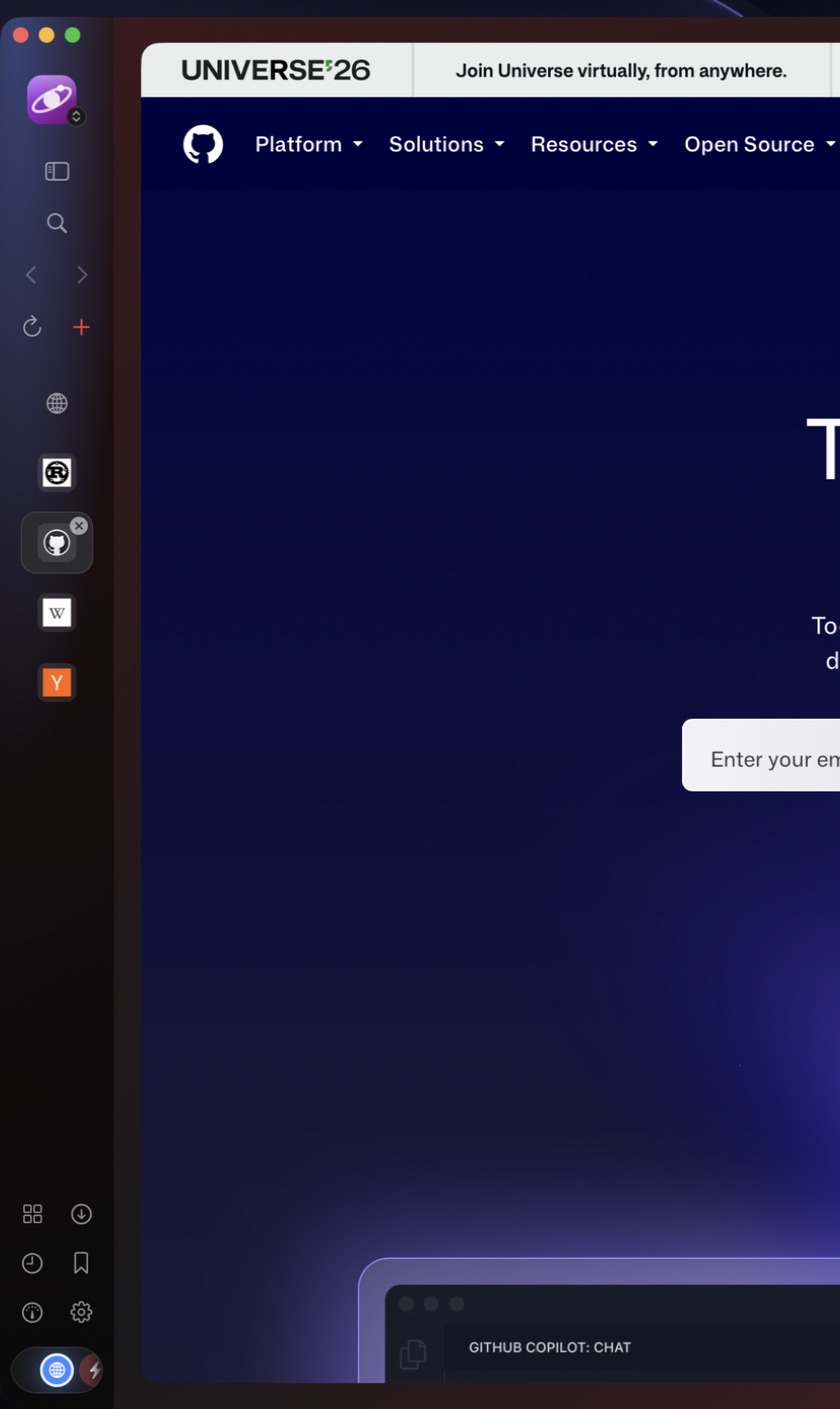
One shortcut folds the sidebar into a slim rail that is still fully usable: your profile on top, a tile for every tab with its real icon, every tool one click away, and a horizontal space carousel that keeps the active space centred as you swipe.
⌃⌘S toggles the rail
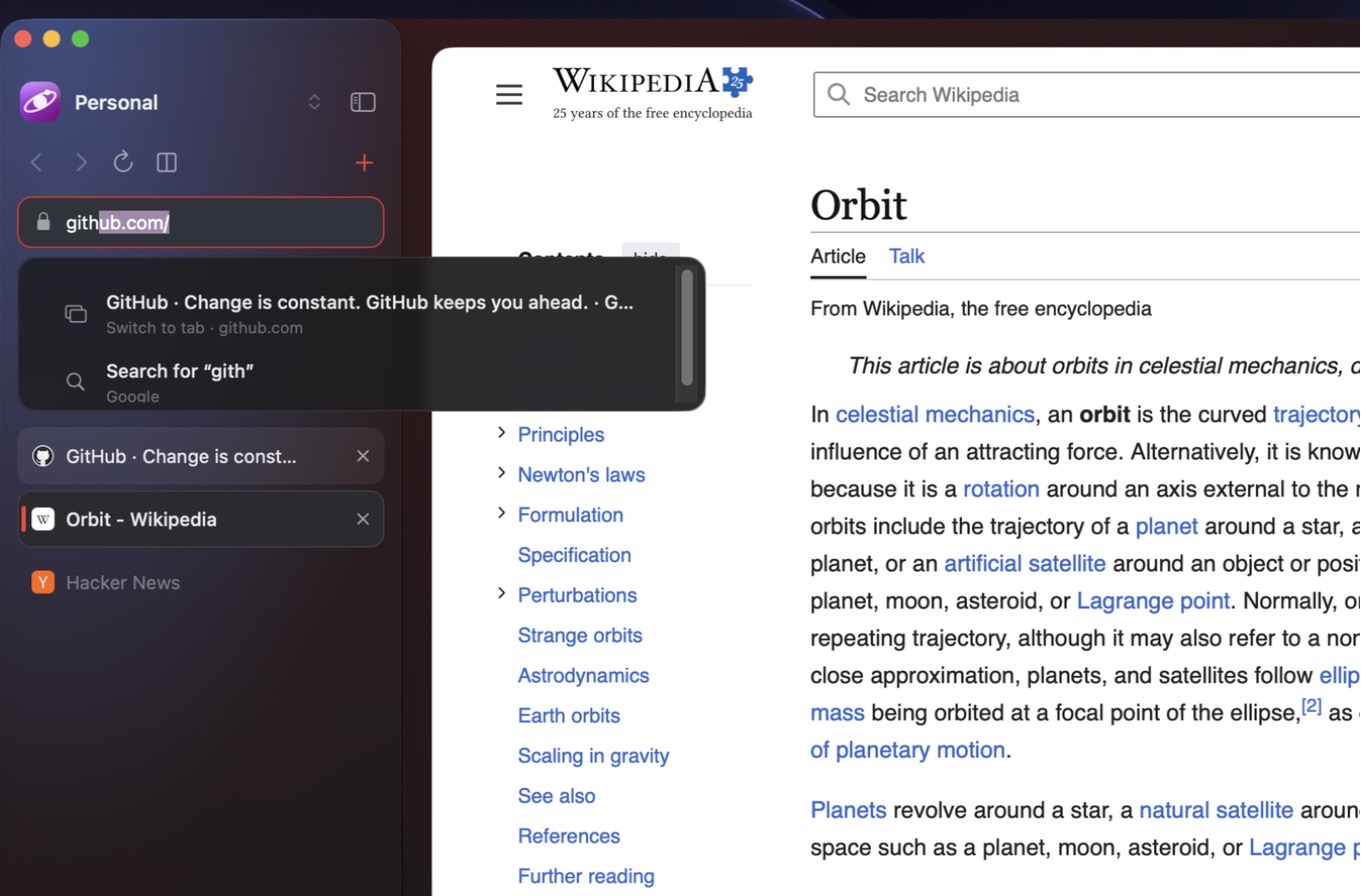
Start typing and the field completes the address inline from sites you already visit; Return accepts it, Backspace dismisses it. Suggestions from your tabs, bookmarks and history appear in a glass list that never steals the caret, so typing is never interrupted.
Everything is matched locally on your Mac.
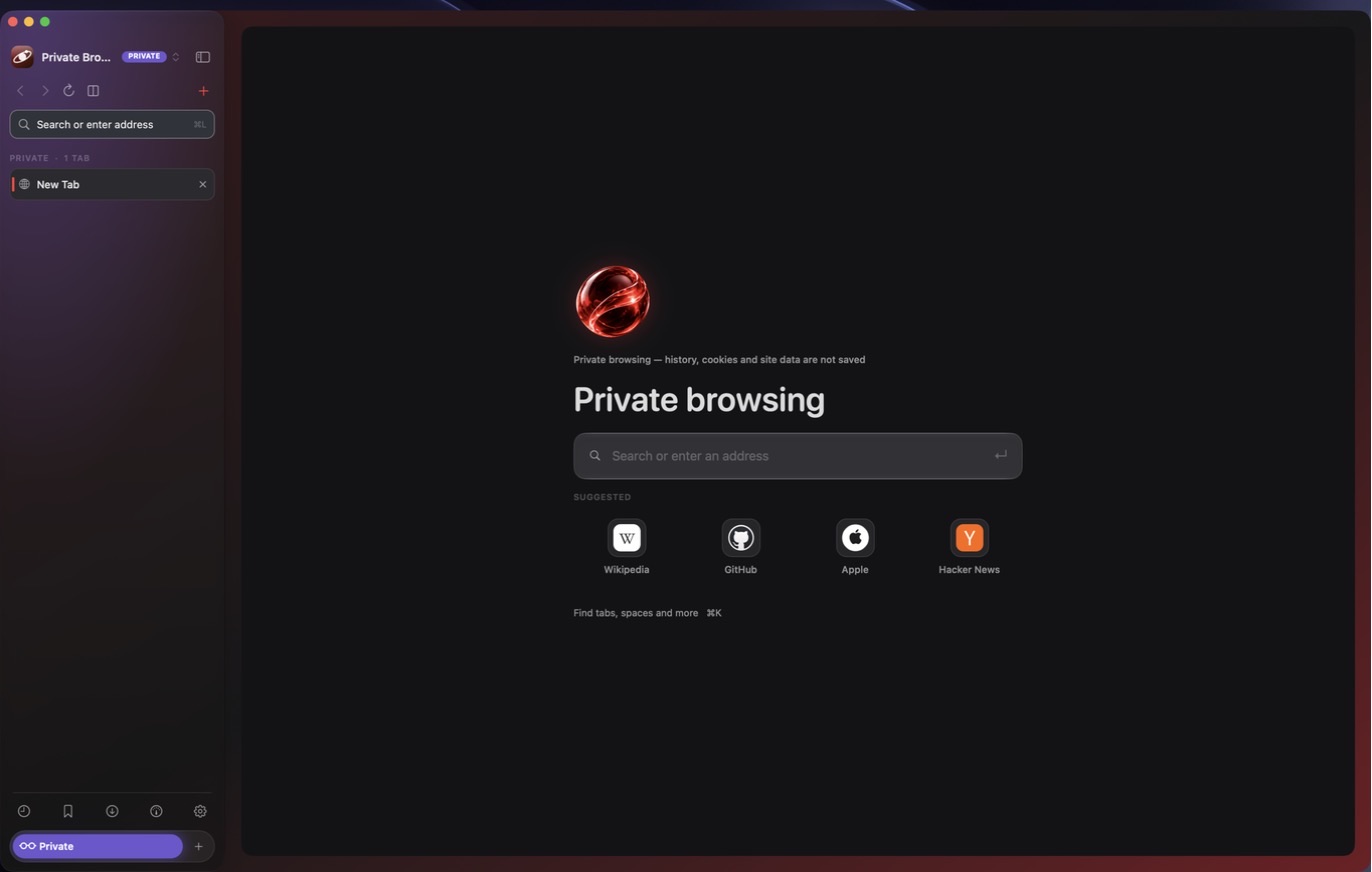
Press ⌘⇧N for an incognito-style session: a non-persistent data store, no history, no suggestions from saved data and nothing written to disk. A PRIVATE badge and a violet sidebar make it unmistakable, and one click on Exit Private Browsing discards every private tab.
Swift 6, AppKit and WebKit. The whole app is under 3 MB, and the chrome is real Mac controls, not a web page pretending to be one.
No assistants, no summaries, no analytics. Aether only talks to the sites you open and fetches their icons straight from them.
Your most-visited sites, ranked by frequency and recency, with real favicons. Sign-in callbacks and search pages never show up.
⌘K finds any tab, space, bookmark or page in your history and runs browser commands without leaving the keyboard.
Find in page, Reader Mode, downloads, a content blocker, per-site permissions, WebExtensions, Inspect Element and one-click localhost launchers.
One icon scale, one motion system that respects Reduce Motion, glass on macOS 26 and later, and custom menus instead of stock dropdowns.
The migration flow previews readable Dia profiles, bookmarks and history before an additive import. Your original browser stays untouched.
Encrypted sessions, saved passwords, extensions and signed-in cookies need separate handling. Aether won’t call a partial transfer “everything.”
Preview first.
Keep the original.
Move at your own pace.
Aether is in active development. Come try the preview
and help shape what browsing feels like.
Apple Silicon · macOS 14 or later · Glass materials need macOS 26
Current builds are ad-hoc signed and are not notarized by Apple, so macOS will ask you to approve the first launch. iCloud passkey sign-in and automatic password filling are not yet verified. This is a developer preview, not a finished daily-driver release. Aether is closed source.